Packing list
0:43 pending
Three chargers. Zero socks.


Got questions or doubts? Ping me on Discord
Splicer · features
On the desk, in the terminal and on the command line. Pictures only where there's real footage of the real app.
Opinions
The other two hours and forty-five minutes are me saying "okay, so", reading a map out loud, and apologizing to the microphone.
Splicer listens to all of it, writes it down, and lets me cut by what was said instead of scrubbing a waveform at two in the morning like a raccoon in a bin.
— the guy with the footage

Demo on hand-written sample lines. Try "light", "waves" or "hours". The real search matches words the same way, at once.
Cut · keep or drop
Every run of speech becomes a card. Keep it or drop it and move on. No timeline surgery, no "where was that bit where I said the thing".
Play with it: press to drop, to keep. Hand-written sample clips, not your footage.
0:43 pending
Three chargers. Zero socks.
1:31 pending
Mostly me saying "okay, so".
0:53 pending
Rugged cliffs, endless horizon.
0:12 pending
Worst coffee. Best light.
1:08 pending
Right view, though.
2:47 pending
Nobody needs this. Not even me.
0:39 pending
The one clip where I shut up.
That's the whole trip.
The timeline is the cut
The player
Press Space and the clip in hand plays, its words on the page beside it. Watch the take, read the take, decide. Press Shift+Space and the page rolls up like a blind and plays your whole cut, one clip after another.
Export · vertical
Fill crops the picture to the phone's screen, and each clip can slide left or right. Frame keeps the whole picture in a 16:9, 4:3 or 1:1 window, centred or pushed up to leave a bar free at the bottom, over black or a blurred copy of the picture. The desk's preview is the export.
The catalog
Pictures only where there's real footage of the real app.
drops the clip, keeps it, and the next one slides in. On a two-hour recording the first clips are ready in about a second.
On Swipe, drops and keeps, clip by clip as each one is heard.
splicer keep 1 2 and splicer drop 3, by the numbers splicer clips lists.
Ctrl+F, type a word, Enter goes to the clip and keeps it.
/, type a word, and Enter goes to the clip, across the whole video and every audio track.
splicer search crew lists the clips; add --json for scripts.
Wide, or 9:16 for phones: 9 turns vertical on, and in Fill . nudges a clip.
Ctrl+E exports the cut and shows where it landed.
splicer export, or splicer export --vertical fill for phones.
A warm orange desk: every clip lands on the clip rail as Splicer hears it, the clip in hand sits centred and tilted on its paper with its words, the timeline holds the cut, and each audio track has its own level knob.
On the desk
Every clip appears on the left as Splicer hears it, each on its own little film with a small flag for its language, on a cream roll that winds as you scroll.
On the desk
It starts empty and holds only the clips you keep, in order.
On the desk
Export the cut at 9:16. Fill crops the picture to the screen, with a left or right nudge per clip. Frame sets it in a 16:9, 4:3 or 1:1 window, centred or pushed up to leave a bar free at the bottom, over black or a blurred copy of the picture.
Export opens a sheet first: wide or vertical, the layout, the size and where it saves.
On the desk
Burn karaoke captions into your export, in ten looks and four sizes. They're off until you turn them on.
Press Space and the clip in hand plays.
On the desk and in the terminal
Press Shift+Space and the page rolls up like a blind and plays your whole cut, one clip after another.
On the desk
The word being spoken lights up under the clip, and in the big player.
On the desk
Press ? for every key, grouped by what you are doing.
On the desk and in the terminal
The clip in hand: its title, its words, a still and where it sits in the video.
On the desk
Splicer hears your recordings on your own graphics card; nothing is uploaded. A recording of two hours and seven minutes is heard in about 25 seconds on an RX 9060 XT.
The speech engine and its model come inside Splicer. Nothing downloads after install.
Splicer hears English and Spanish and finds the language sentence by sentence, so a switch mid-recording is caught. Each clip on the rail wears a small flag for its language.
Open one video at a time: by key, by dropping it onto the desk, or from the command line. Cut it, then export one video.
Silences come in already dropped: Splicer finds the quiet between speech and leaves it out.
Silences and every um and uh come in dropped. Repeats and restarts are marked.
A recording over 100 GB opens like a small one: first clips in under a second, in under 1 GB of memory.
Take back the last change, and redo it.
Cut from the words of any audio track; every cut applies to the video and all the tracks at once, and the export mixes them down to one track, each at its own level.
Splicer reads MKV, MP4 and MOV with H.264, HEVC and VP9 video and AAC, AC3, E-AC3, MP3, Opus and PCM sound by itself.
An OBS recording in MKV exports by copying the untouched video between cuts, so a long export goes faster.
Select transcript text and copy it: Ctrl+C on the desk, y in the terminal workspace.
On the desk and in the terminal
In the terminal workspace, Ctrl+C pressed twice quits, and q never does.
In the terminal
The Terms, with the notices for everything Splicer ships: splicer terms prints them.
Read the guides 8 guides, from the first cut to the command line.
In the terminal too
splicer tui opens a video on three screens:
Splice, Swipe to keep or drop each clip as it is heard,
and Cut to arrange and export, all without leaving the
terminal.
splicer <command> runs every operation
in plain text, or structured with --json,
ready for scripts.
The same features live on all three: the desk,
splicer gui; the terminal workspace,
splicer tui; and the command line. Where one
lives on only some of them, its card says so.
splicer doctor checks that everything is ready,
and splicer deps shows what Splicer carries
inside.
splicer tui: open a video, keep or drop its
clips, search, export the cut.
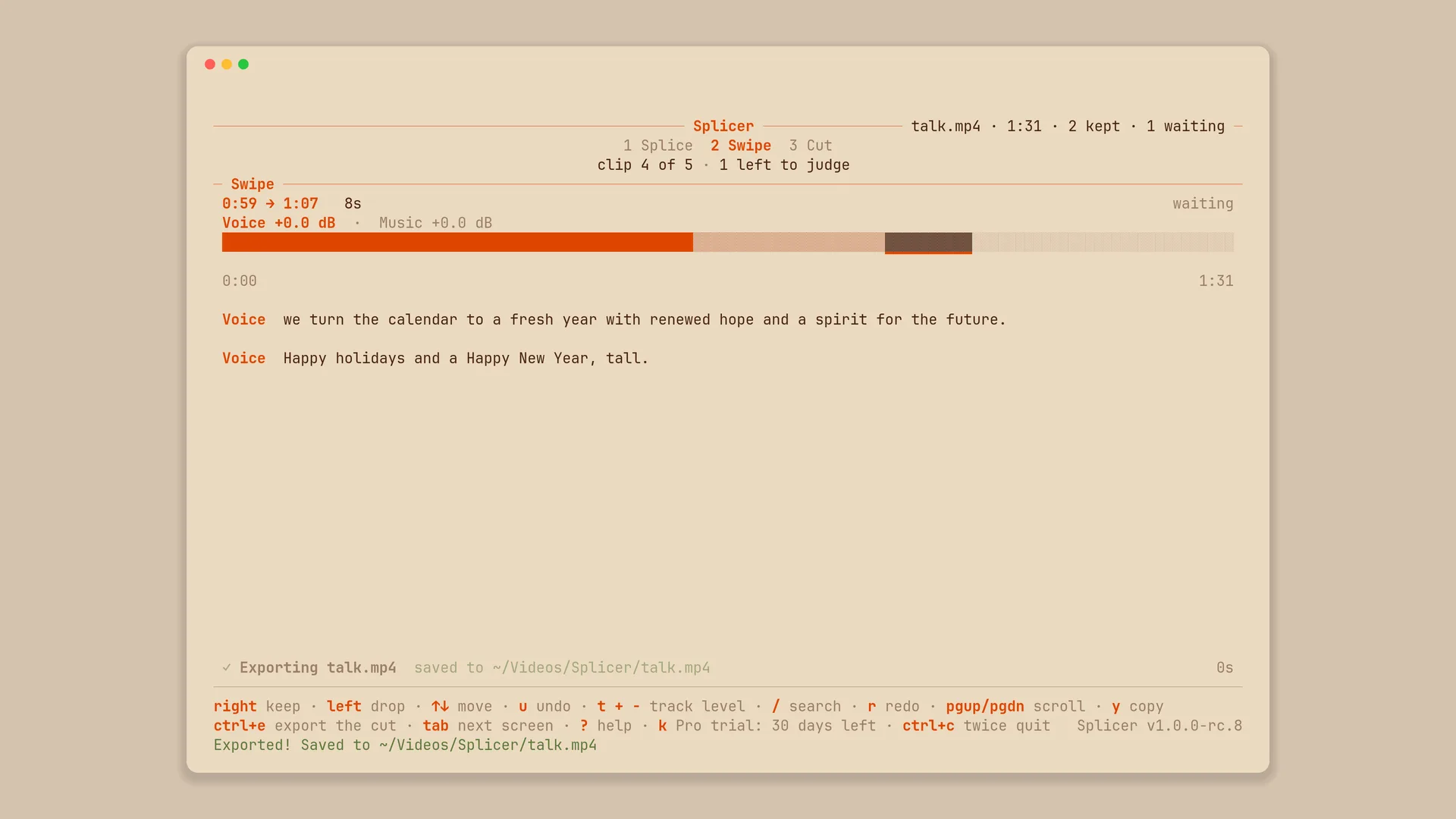
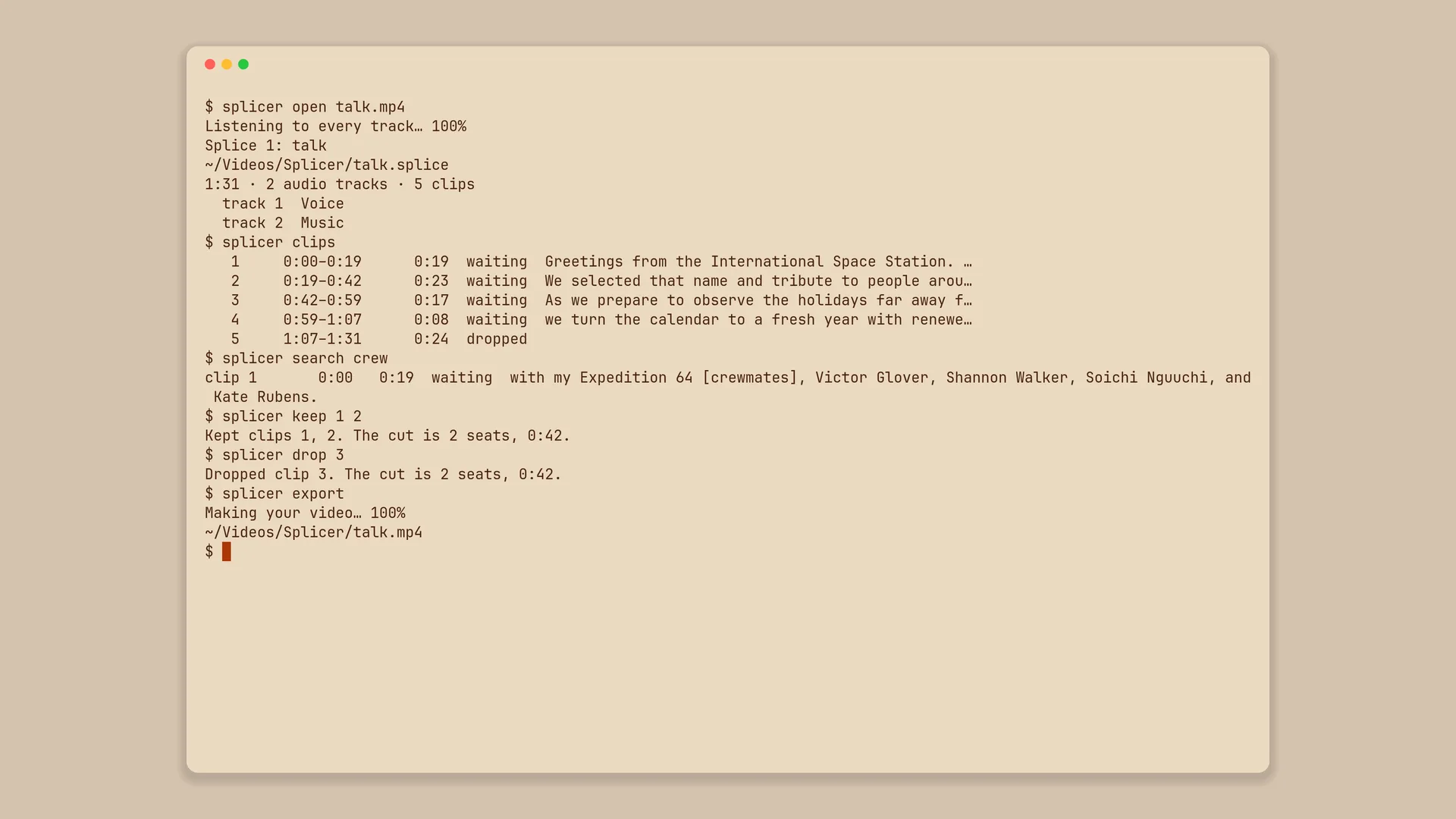
Splicer renders show NASA's holiday message from the International Space Station's Expedition 64 crew and NASA's Summer Solstice interview with Alex Young, both in the public domain, with a synthetic second track.