Frame-accurate smart cuts
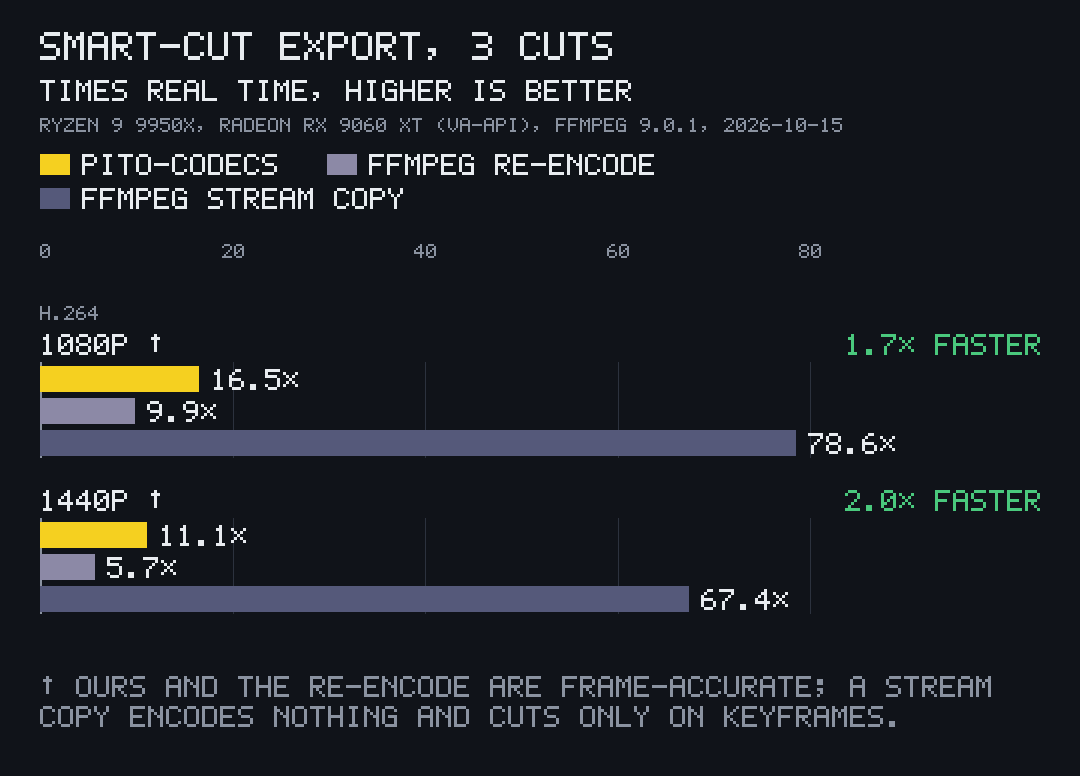
Copy the middle of each piece, re-encode only around each cut: 1.7× to 2.0× faster than an ffmpeg re-encode.
What it does
export and export_with_audio write an edit from pieces of one or more files. They copy the middle of each piece as it is and re-encode only the frames around each cut, so the result is frame-accurate and 1.7× to 2.0× faster than ffmpeg re-encoding every frame.
ffmpeg's stream copy is faster still, 4.8× to 6.1× faster than this export, but it encodes nothing and can only cut on keyframes.
The frame above carries a caption and a corner mark drawn as one RGBA layer and blended by media::Blender in 1.8 ms at 1280x720.
-
Cuts that share a decode
When two cut edges fall in one GOP, as a piece's end and the next piece's start do when silences are cut out, they share one decode from the keyframe instead of each decoding it.
-
VP9 sources too
VP9 sources cut the same way into MP4: packets are copied as they are, and only the frames before each piece's first keyframe are encoded.
-
Overlays composed on the card
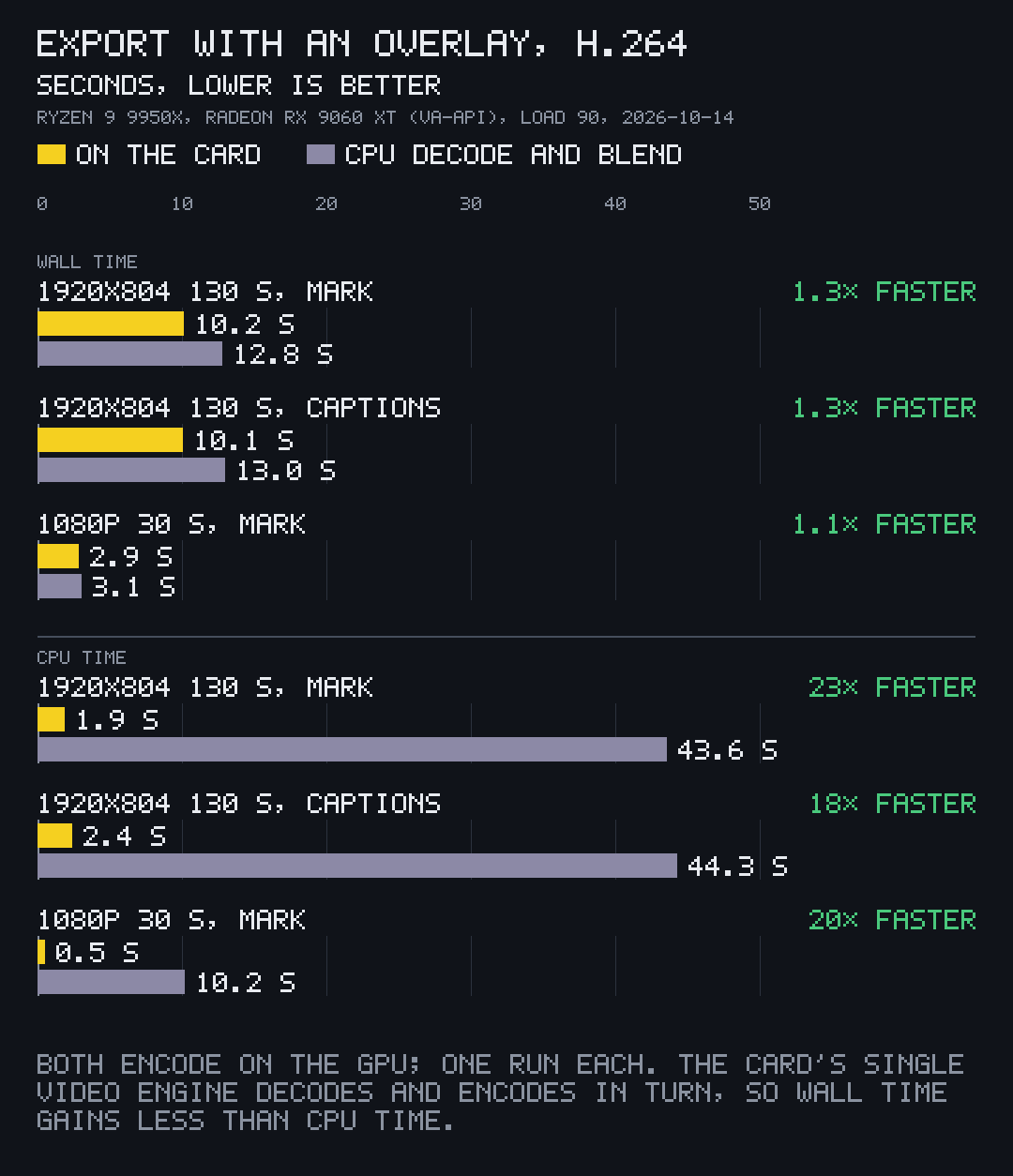
A watermark, or karaoke captions that change at every word. On VA-API with Mesa's driver the overlay is blended by a video-processing pass straight into the encoder's input: no copy to system memory, and the overlay uploaded only when it changes, and only its painted area.
-
Your own audio, to the sample
The audio callback gets each piece's index and its exact sample count and returns that many 48 kHz stereo samples, which pito-codecs' AAC encoder turns into one track as long as the video.
Measured
- 46 pieces with the gaps between them removed, on the card, from 9.6 s before cut edges shared their decode
- 6.4 s
- How it was measured
- CPU time to export 130 s of 1920x804 with a corner mark on the card; 43.6 s decoding and blending on the CPU
- 1.9 s
- How it was measured
- 120 s of 1920x804 VP9 to H.264 with a corner mark on the card; 24.1 s on the CPU, 33.9 s with captions
- 6.4 s
- How it was measured
How to use it
-
Export an edit with audio you mixed yourself:
let done = export_with_audio("edit.mp4".as_ref(), &pieces, ExportOptions::default(), |piece, samples| mixer.render(piece, samples), |_| true)?; -
Draw one RGBA overlay on many frames without copying it each time:
let mut blender = Blender::new(); blender.draw(&mut frame, &watermark); -
Stitch clips with pcod: copied when they match, re-encoded when they don't, and it says which and why.
pcod join intro.mp4 scene.mp4 outro.mp4 film.mp4