Got questions or doubts? Ping me on Discord
Install
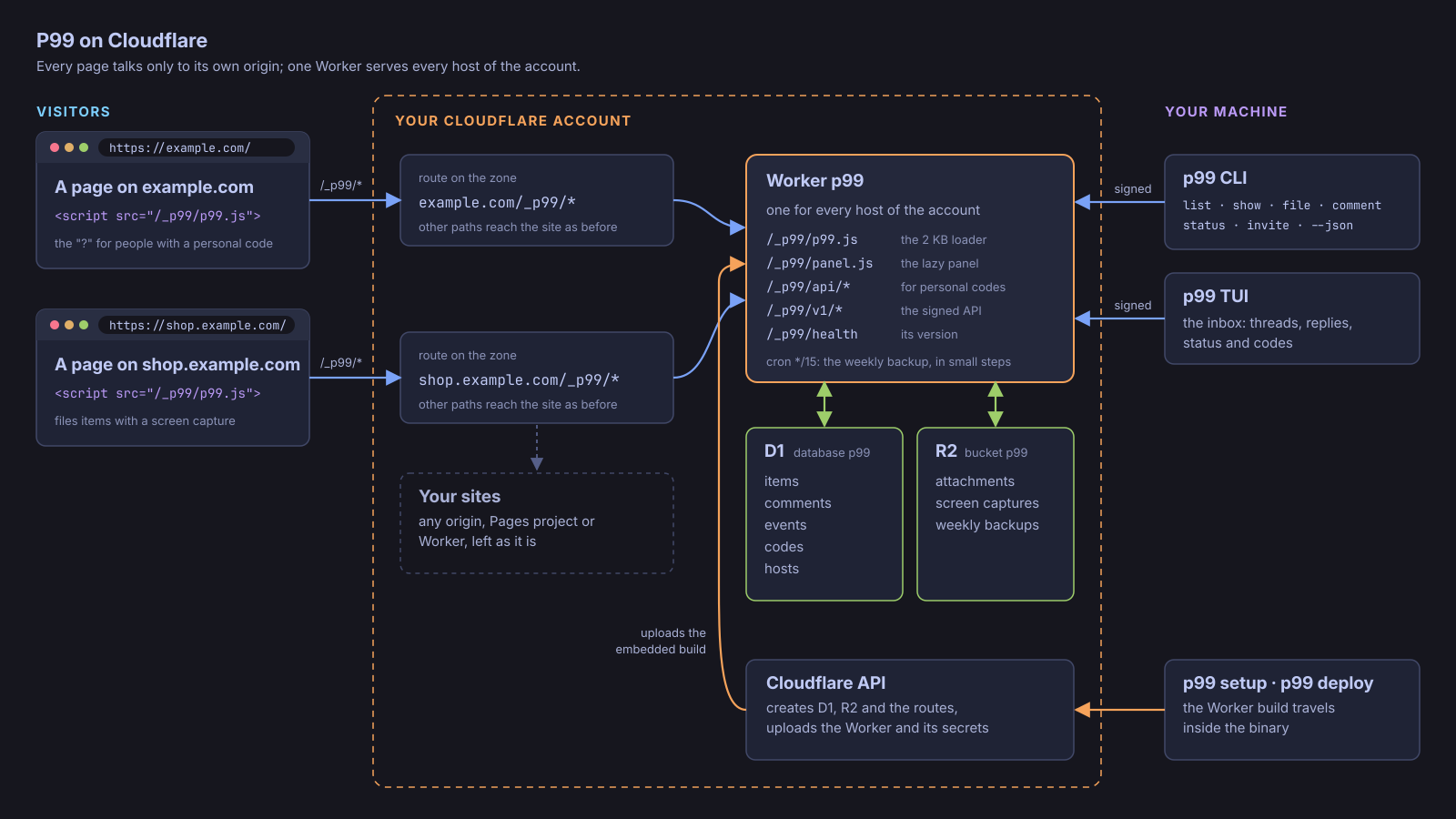
P99 is extremely highly opinionated: it runs on Cloudflare, and that's its only requirement. One Cloudflare account runs one Worker, one D1 database and one R2 bucket, on your own site's domain at /_p99/. No other server, no framework, no other database, no other service, and nothing from your stack.
Each release carries a Linux (x86_64) and a macOS (Apple Silicon) binary
with a SHA256SUMS file. ~/.local/bin needs to be on
your PATH.
Linux and WSL
v=$(basename "$(curl -fsSLo /dev/null -w '%{url_effective}' https://github.com/gmrdad82/p99/releases/latest)")
mkdir -p ~/.local/bin && curl -fsSL "https://github.com/gmrdad82/p99/releases/download/$v/p99-$v-linux-x86_64.tar.gz" | tar -xz -C ~/.local/bin p99
macOS
v=$(basename "$(curl -fsSLo /dev/null -w '%{url_effective}' https://github.com/gmrdad82/p99/releases/latest)")
mkdir -p ~/.local/bin && curl -fsSL "https://github.com/gmrdad82/p99/releases/download/$v/p99-$v-macos-arm64.tar.gz" | tar -xz -C ~/.local/bin p99
First use
p99 tui --demo     # the inbox on sample data, nothing to set up
p99 setup          # your Cloudflare account, step by step
p99 invite example.com --name "Ada Lovelace" --email ada@example.com
p99                # your inbox
Then add one tag to your site's <head>:
<script src="/_p99/p99.js" async></script>