Guide 03
Let your agent in.
Two doors, one line, a named teammate.
Said and Done. speaks MCP — the protocol AI agents use to work with tools. Connected, an agent can list your Chapters, search your notes, file Pages, change their status, resolve them, and leave Updates on a Page. Every action is signed with the agent's own name, exactly like yours. Everything below was done for real against the Mars or Bust sample Notebook — the one the first-boot wizard offers you — so you can follow along click for click.
1 · Two doors, both yours
While the desk is open, a Streamable-HTTP door answers on your own machine — nothing to install, nothing to spawn:
http://127.0.0.1:5181/mcpAnd for clients that prefer to launch their own servers, the same desk speaks stdio through the installed binary:
said-and-done mcpBoth doors serve the same twenty-four tools and the same record. The HTTP door lives and dies with the window — the desk closed means no agent gets in. Settings → Connections carries the MCP switch and a copy button with your install's exact line; Doctor probes the door live and counts the tools.
2 · Claude Code, in one line
Register the door once, then just talk. Here is the whole thing, recorded live — the setup line, then a question about the sample Notebook's Fuel & Flight Chapter:

The first time an agent reaches for the desk's tools, Claude Code asks once and remembers; for headless runs, allow them once in your repo's.claude/settings.json — { "permissions": { "allow": ["mcp__said-and-done__*"] } } — and every command after that is just the question.
Zed, Cursor and Windsurf take the same two facts — the HTTP URL above, or the stdio command — pasted into their own MCP server settings. Whichever client you run, the server introduces itself as Said and Done. and hands over the desk's tools.
3 · Ask for something real
Reading is a parlor trick. The desk earns its keep when the agent files work — here Claude is asked to create a Page on Fuel & Flight, land it straight in todo, and leave an Update explaining the urgency. Watch the id come back:

Note the last line: the desk auto-suggested a reference tobreathing-easy.md from the Notebook's own notes — new Pages get their references scanned at birth, whoever files them.
4 · The Page is on the record
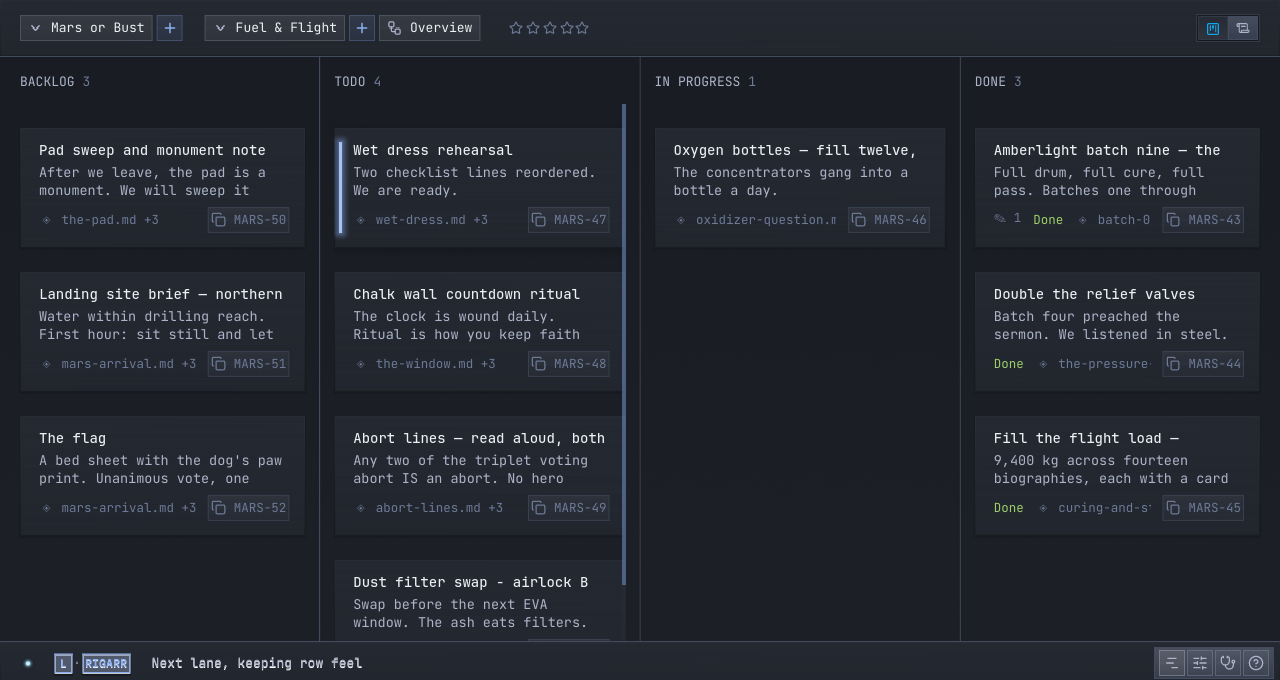
Switch to the desk and there it is — MARS-53 on the record in to-do, with its Update count and its reference, next to the Pages you made yourself. No import, no sync, no refresh button. It was always the same record.
5 · Signed, every time
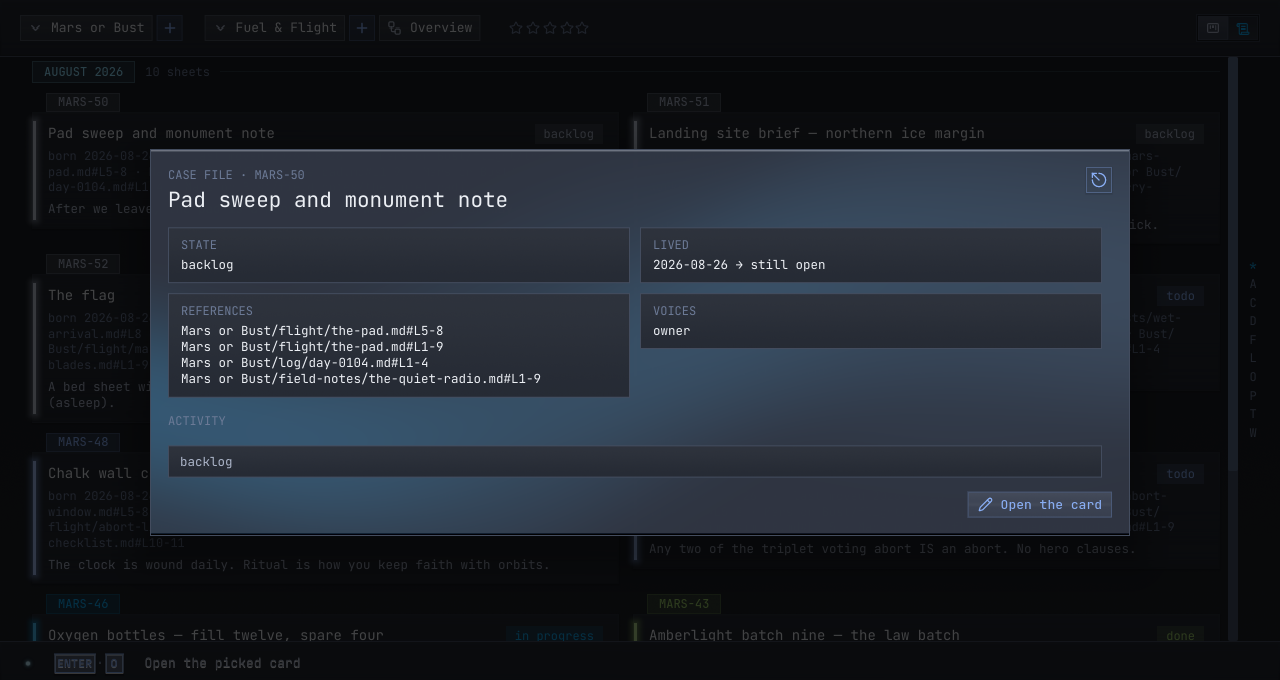
Open MARS-53 as a case file and the history reads like a ledger:agent:claude-code created it, moved it, left its Update on it. An agent's name comes from its own MCP handshake, so the same assistant keeps one name across a whole session. When a Page changed status and you didn't change it, the case file says exactly who did — there is no anonymous move in this house.
6 · Work the same Page together
Nobody owns a Page. You can be editing while an agent leaves an Update; its words land on the Page under its name, next to your Thoughts. From your phone, the remote client shows the same desk the agents are working — file a Page from the couch, let the agent pick it up at the keyboard.
What it can't do
- It can't edit your markdown — your files aren't its to touch.
- It can't act unasked — an agent works when you set it working.
- It can't reach in from outside — the doors answer your machine only.
- It can't hide — every move is signed and kept.